Site Architecture and URL Structure: An SEO Guide
Plan page types, paths, navigation, crawlable links, URLs, canonicals, sitemaps, redirects, and tests around real user tasks and current site evidence.

Site structure helps people and bots find pages and make sense of them. It does not pass a set amount of authority, and it cannot promise a rank. Start with real user tasks and page types. Then make each useful page easy to reach through a sound link.
Start With User Tasks and Page Types
List the users, top tasks, topics, products, and places.
Give each distinct need one main page where that fits.
Group close pages in a way that is clear to people.
Keep key pages within a short, useful click path.
Do not build folders only to add search terms.
Make Links and URLs Clear
Use normal links with an href that leads to a live URL.
Use brief link text that says what the next page is.
Use plain, stable, human-readable URL paths.
Keep case, slash, host, and parameter rules consistent.
Do not change a live URL for style alone.
Control Copies and Change
Choose the main URL for each set of true copies.
Align links, sitemap entries, and canonical hints.
Use a direct redirect when a URL must move.
Update links and remove chains, loops, and soft errors.
Keep a map, owner, test plan, and rollback for a move.
Audit With Evidence
Crawl the site. Then compare it with server logs and search reports. Check your sitemaps, templates, and analytics too. Look for orphan pages, dead ends, duplicate paths, filters, pagination, mobile navigation, and render state. Fix the biggest user and crawl risk first.
For audit scope, read What Should an SEO Audit Include?. For a hands-on check, use How to Audit Your Own Website SEO.
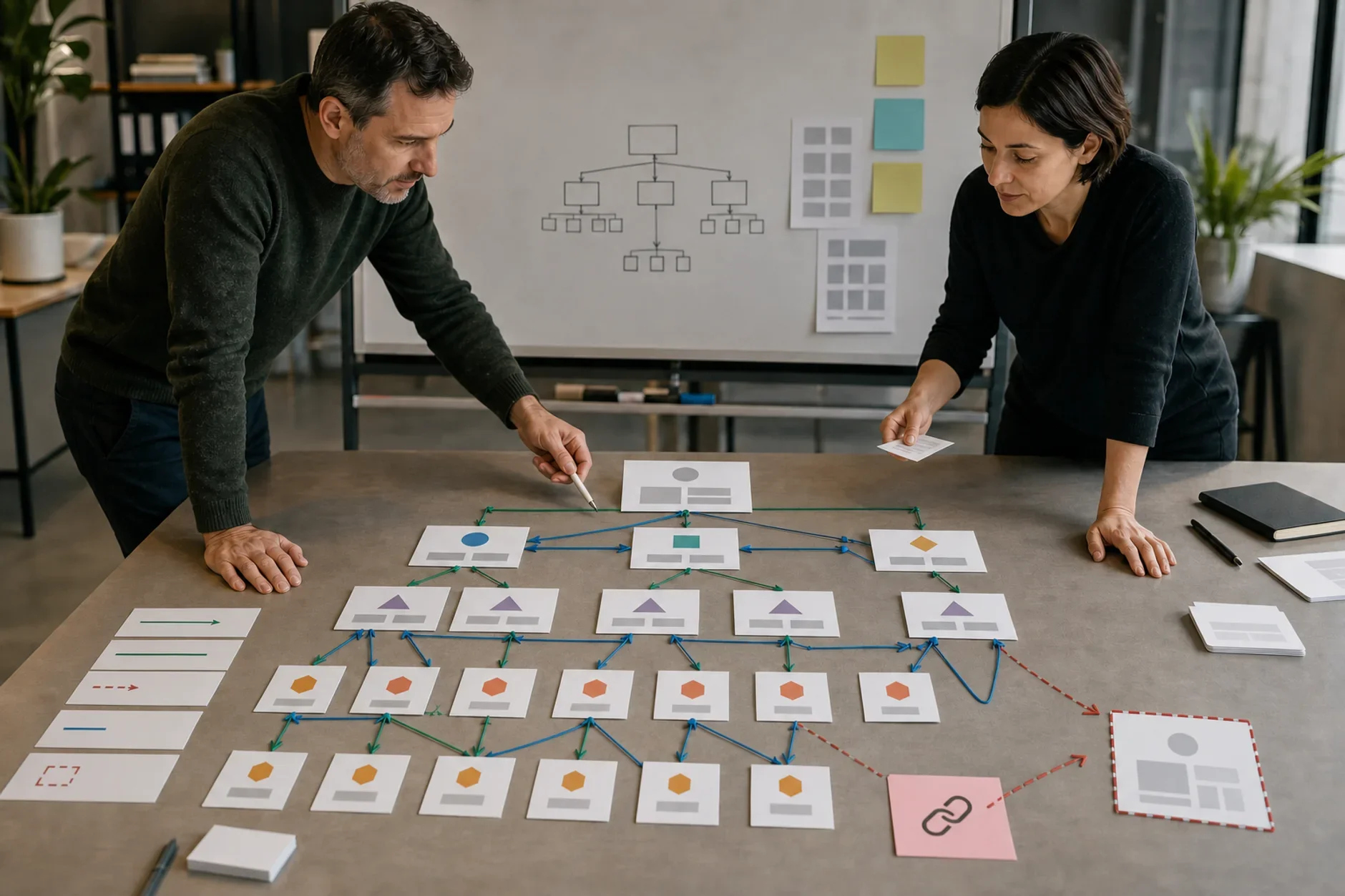
Draw the Page and Link Map
Start with a list of pages you want indexed. For each one, note its purpose, its parent page, and the task it serves. Then add the navigation, breadcrumbs, contextual links, sitemap, and canonical URL. The map should show how a person and a crawler reach every important page.
Keep one primary page for each distinct search and user need.
Link related detail pages back to a useful parent or hub.
Use clear anchor text that still makes sense out of context.
Find important pages that no internal link points to.
Remove dead ends, accidental duplicates, and links to redirected URLs.
Do not force every page to the same depth when user paths differ.
Decide Which Filter URLs Deserve Indexing
Faceted navigation can create a huge number of URL combinations. Decide which ones give a useful, distinct result before you open them to search. A canonical tag is a signal for pages that are copies. It will not control an endless crawl space for you.
Allow a filter URL only when it serves a real landing-page need.
Keep parameter order the same. Return a real 404 for empty combinations.
Link to indexable filter pages through crawlable anchor links.
Use self-canonicals on distinct pages. Use one steady canonical for true copies.
Use robots.txt to guide crawling only. Never use it to set a canonical.
Remember that a blocked URL can still show up in results with no snippet.
Make Pagination and JavaScript Discoverable
Google does not click a load-more button. Give each page in a sequence its own URL. Link to the next page with a normal anchor. Keep useful item pages reachable even when the interface also uses infinite scroll.
Use a unique URL such as a page parameter for each sequence page.
Give each sequence page its own canonical URL.
Do not use URL fragments as the only pagination state.
Test the rendered HTML for links and content without user actions.
Keep sitemaps focused on canonical URLs you want indexed.
Choose Subdomains for Operating Reasons
A subfolder, subdomain, or separate domain is not a ranking shortcut. Choose based on ownership, platform, security, localization, release, and upkeep needs. Keep close content together when one team can manage it well.
Write down who owns content, code, analytics, redirects, and incidents.
Check whether authentication or vendor limits force a boundary.
Use the same setup, navigation, and entity details across properties.
Plan cross-property links, sitemaps, verification, and reporting.
Do not move a healthy section without a clear user or operating benefit.
Run a Migration Without Losing the Map
Treat a URL move as a controlled release. Freeze the old-to-new map, crawl it before launch, and name a rollback owner. Change the smallest set you can at one time.
Map every valuable old URL to the closest useful new URL.
Use direct permanent redirects when the move is meant to last.
Update navigation, body links, canonicals, hreflang, and sitemaps.
Keep pages that still serve a distinct task.
Test status codes, redirect chains, templates, forms, analytics, and robots rules.
After launch, watch crawl errors, index state, traffic, conversions, and server logs.
Use a Trigger-Based Audit Cadence
Audit after a redesign, a platform move, or a taxonomy change. Do the same after a large import, a navigation change, or a sudden crawl and index shift. Small, stable sites may need fewer checks than large stores or publishers with many new URLs each day.
Crawl budget is usually a real concern for large or fast-changing sites. It is not a reason to make a small site hard to use. Fix infinite URL spaces, slow responses, broken links, and wasted crawl paths when the evidence shows they matter.
The Short Answer
Build the site around user tasks and distinct pages. Use plain paths, crawlable links, one main URL, clean sitemaps, direct moves, and tested templates. Site structure cannot promise crawl frequency, index status, rank, traffic, leads, or sales.
Need a site structure map?
TTGC can map tasks, page types, paths, links, canonicals, sitemaps, redirects, tests, owners, and rollback. Development, privacy, security, and platform approval remain separate.
Sources
- Google Search Central: URL structure best practices. https://developers.google.com/search/docs/crawling-indexing/url-structure
- Google Search Central: Link best practices. https://developers.google.com/search/docs/crawling-indexing/links-crawlable
- Google Search Central: SEO Starter Guide. https://developers.google.com/search/docs/fundamentals/seo-starter-guide
- Google Search Central: Canonical URL guidance. https://developers.google.com/search/docs/crawling-indexing/consolidate-duplicate-urls
- Google Search Central: Managing crawling of faceted navigation URLs. https://developers.google.com/search/docs/crawling-indexing/crawling-managing-faceted-navigation
- Google Search Central: Pagination and incremental page loading. https://developers.google.com/search/docs/specialty/ecommerce/pagination-and-incremental-page-loading