What Is a Breakpoint in Web Design?
Learn what a web-design breakpoint is, how a media condition changes layout, and why content should set the point instead of device lists.

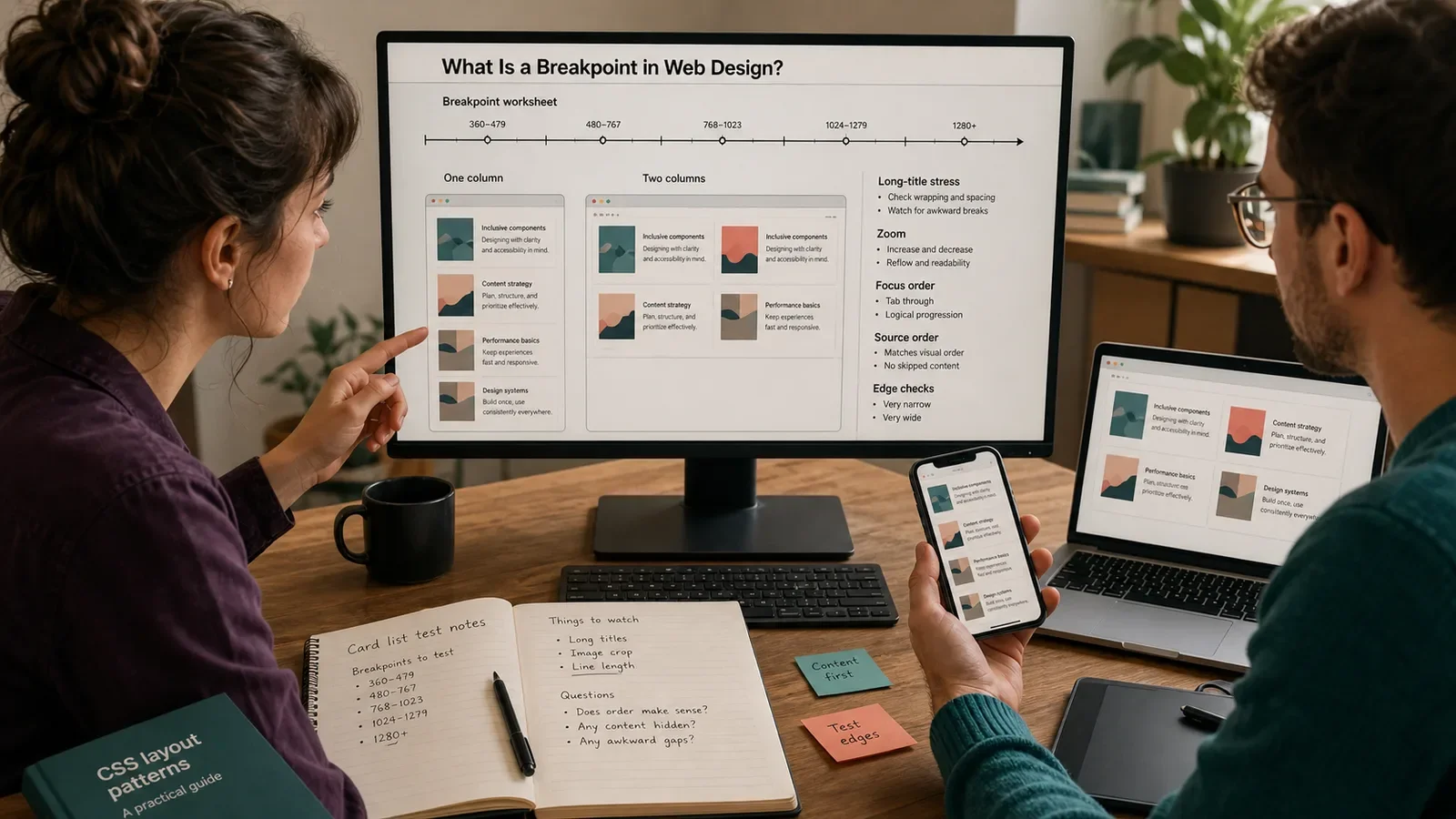
A breakpoint in web design is a point at which a tested condition becomes true and a style or layout rule changes. Many breakpoints use viewport width, but media queries can also test other traits.
A breakpoint is not a phone model. It is a rule boundary chosen because the content, control, or layout needs a new form when the available space or context changes.
Put It in Plain Words
Build the small layout first and slowly make the test view wider. Watch for long lines, crushed controls, stray gaps, clipped media, or a layout that loses its order.
Add a breakpoint at the point where a clear change fixes the issue. Name the reason in code or design notes.
Use as few breakpoints as the content needs. Each new range adds states that must be built and tested.
Relative units such as em or rem can make a rule track text needs more closely than a fixed device list.
A component may need its own size rule inside a wide page. Container queries can help when the component width, not the whole screen, drives the change.
A width rule does not tell you that the device has touch, a mouse, a large screen, or a fast link. Test the trait you need.
Check the exact edge on both sides. Gaps and overlaps often appear where min and max rules meet.
Test browser zoom and larger text. The usable width can change even when the device does not.
Keep source order sound. Moving boxes with CSS should not make the key or reading order confusing.
Record who may change the breakpoint and which components depend on it.
How Does Breakpoint in Web Design Work?
A CSS media query applies a set of rules when its media test is true. A width-based breakpoint might change one column to two when the viewport has enough space for both.
The team finds a real stress point, writes the smallest rule that solves it, tests nearby widths and states, and keeps the rule in the design and code system.
Why Is It Important?
Breakpoints help a page use space without forcing one layout across every view. They can protect line length, control size, media, and task order.
Poor breakpoints can add gaps, hide content, split one component from another, or tie the site to devices that soon change.
Where Is It Used?
Page layouts, menus, cards, tables, forms, media, and type.
Viewport media queries and component-level container queries.
Screen, print, motion, hover, pointer, contrast, and other media needs.
A Simple Breakpoint Example
A card list works as one column. At a wider view, the lines become too long and the cards leave excess space, so the team tests a two-column form at that point.
It checks the widths just below and above the rule, then tests zoom, long titles, key order, and an error state. The point is kept only if the full task improves.
What Should a Breakpoint Record Include?
Component or page, content, task, and stress point.
Media trait, unit, threshold, and rule scope.
Layout before, layout after, and source order.
Widths at both edges, zoom, text, input, and states.
Browser support, owner, code link, and reason.
Date checked and rule to remove or change it.
How Do You Choose a Breakpoint?
Build a sound small state first.
Grow the view until content or controls need a change.
Choose the trait and smallest useful rule.
Test both sides of the point and all key states.
Check zoom, text growth, key order, and media.
Document the reason and keep the tests with the component.
Breakpoint vs. Device Size
A breakpoint is a condition in the design. A device size is one fact about one device or window. Many devices can cross the same breakpoint as a person rotates, resizes, or zooms.
Device labels can help a test plan, but they should not be the sole source for layout rules. Content-led rules age better.
Common Mistakes
Copying common phone widths with no content reason.
Leaving a one-pixel gap between min and max rules.
Using width as a guess for touch or device type.
Adding a rule without testing zoom and long text.
Changing visual order while key order stays wrong.
Frequently Asked Questions
What is a common breakpoint?
There is no universal best point. Start with the content and add a rule where the current form no longer works well.
Can a component have its own breakpoint?
Yes. A container query can respond to the space given to that component, which may be more useful than the full viewport width.
Are breakpoints only for width?
No. Media queries can test many traits. Use only the trait that is tied to the user need and test the result.
Use What Is a Design System? to govern shared component rules and Website Accessibility Guide to test access at and around each state.
Need breakpoints based on content stress instead of a copied device chart?
Book a free Brand and Tech Assessment to map the current problem, evidence, constraints, and practical next step.
Sources
- MDN Web Docs: Media query fundamentals. https://developer.mozilla.org/en-US/docs/Learn_web_development/Core/CSS_layout/Media_queries
- web.dev: Media queries and content-led breakpoints. https://web.dev/learn/design/media-queries