What Is Anchor Text?
Learn what clickable link text does, how it helps people and crawlers understand a destination, and how to write it without keyword stuffing.

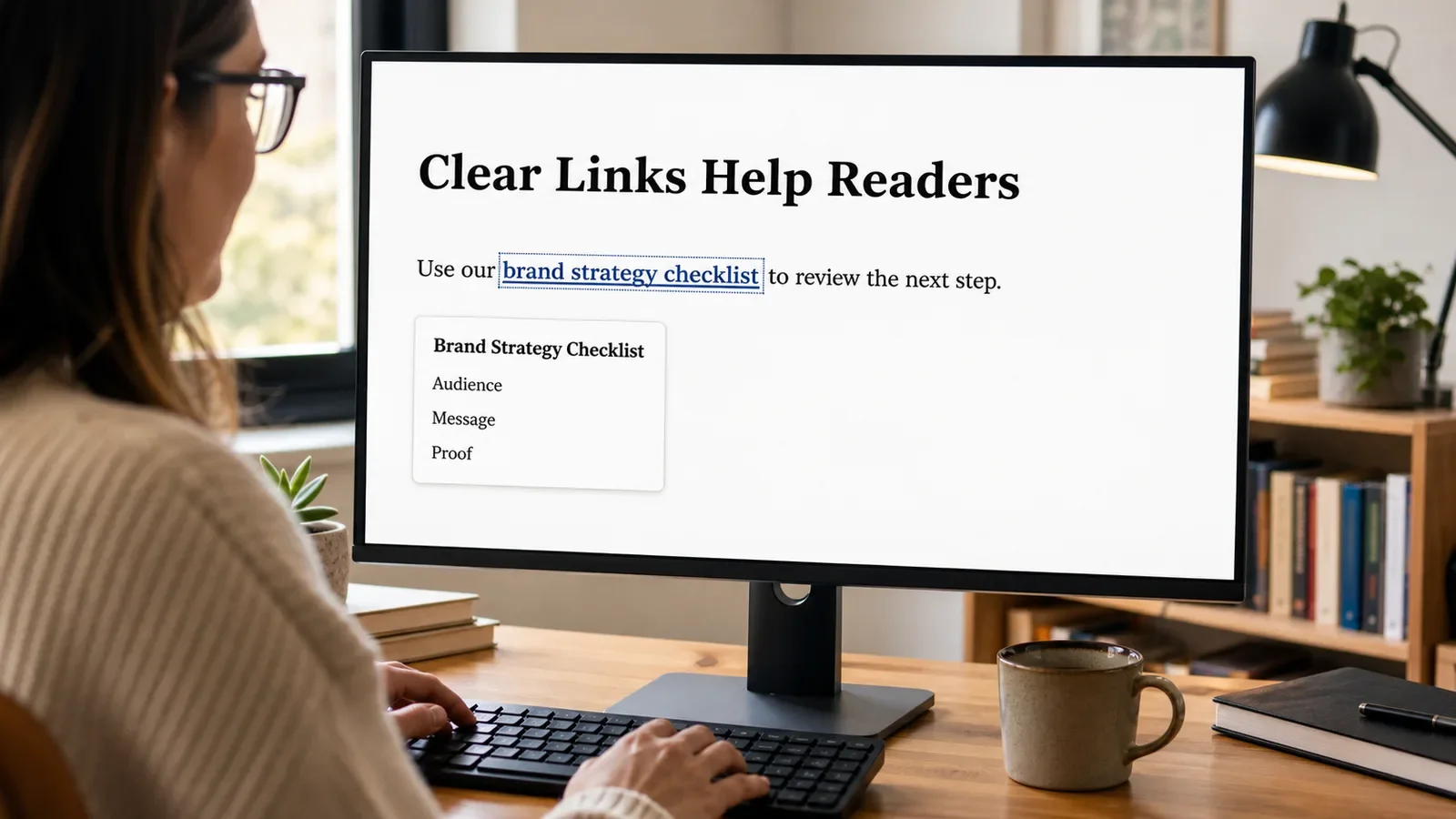
Anchor text is the visible, clickable text in a link. In the sentence “read our brand strategy guide,” the linked words can be the anchor text. The destination is stored in the link address.
Good anchor text gives a reader a useful idea of what will open. It also helps search systems understand the relationship between the source page and the linked page.
Put It in Plain Words
A link needs a destination and a label. The destination is the URL. The label a person reads is the anchor text.
“Click here” can work in a simple context, but it often hides the destination. “Review the brand strategy checklist” is more useful when that is what the linked page contains.
Keep the words close to the point of the sentence. Do not link a whole paragraph when a short phrase is enough. Large link areas can make reading and selection harder.
Use natural language. You do not need the exact same keyword every time you link to a page. Repeated, forced anchor text can sound poor and may look manipulative.
Check accessibility. A person may navigate from link to link without reading every nearby sentence. Labels such as “more” and “read this” are unclear when heard alone.
A link must work. Google says a crawlable link normally uses an anchor element with an href value. A button or script that only looks like a link may not provide the same access.
How Does Anchor Text Work?
HTML wraps the linked words in an anchor element and supplies a destination through the href attribute. A browser makes the text interactive. Keyboard, pointer, touch, and assistive tools can use the link when it is built correctly.
Search crawlers can follow crawlable links to discover other pages. Google also says anchor text helps people and Google understand the linked page. The surrounding sentence adds context.
Why Is It Important?
Clear anchors help people predict what will happen, scan a page, and move to the next useful resource. They also create meaningful paths through a site.
Anchor text should support the reader first. It is not a place to force keyword signals, hide paid links, or make every mention clickable. Relevance and clarity matter more than repetition.
Where Is It Used?
Navigation menus, articles, service pages, product pages, footers, and help centers.
Internal links between pages on the same site.
External citations and links to independent sources.
Downloads, email addresses, phone links, and page jumps when the action is clear.
A Simple Anchor Text Example
A weak sentence says, “For our accessibility guide, click here.” A clearer version says, “Use the W3C heading tutorial to review your page outline.” The linked words name the resource and task.
Do not overdo it. If one paragraph contains five links with long labels, the page can become hard to read. Link the most useful phrase and keep the sentence natural.
What Makes Useful Anchor Text?
A concise label that describes the destination or action.
A destination that matches the words and is safe to open.
Enough surrounding context to explain why the link is useful.
A clear visual state and keyboard focus style.
Natural variation when several pages link to the same resource.
Honest attributes for sponsored, user-made, or other qualified links when needed.
How Do You Audit Anchor Text?
Export or crawl the links on important pages.
Find vague labels such as click here, more, this, and link.
Check whether each label makes sense near the sentence and on its own.
Confirm the destination is live, canonical, secure, and relevant.
Review repeated exact-match anchors and remove forced wording.
Test link focus, contrast, keyboard access, and touch target behavior.
Anchor Text vs. Link URL
Anchor text is the human-readable label. The URL is the destination address. A page can show the full URL as the anchor, but descriptive words are often easier to read.
Alternative text for a linked image can act like anchor text for people who cannot see the image. The image needs useful alternative text when it communicates the destination or action.
Common Mistakes
Using vague labels that give no clue about the destination.
Linking unrelated words only to include a keyword.
Repeating the same exact-match phrase across many links.
Opening a different page, file, or action than the words promise.
Removing visible focus styles or relying only on color to show a link.
Frequently Asked Questions
Is “click here” always wrong?
No, but it is often less clear than a descriptive label. Choose words that remain useful when a person scans links or hears them out of context.
Should anchor text match the target keyword exactly?
No. Describe the destination in natural words. Exact repetition is not needed and can make the page feel forced.
Can an image be a link?
Yes. Give the linked image useful alternative text when it conveys the link purpose, and make sure keyboard and focus behavior work.
Use Internal Linking to plan the paths, and the Technical SEO Checklist to find broken or uncrawlable links.
Need clear internal links that serve readers and search systems?
Book a free Brand and Tech Assessment to map the current problem, evidence, constraints, and practical next step.
Sources
- Google Search Central: Link best practices for Google. https://developers.google.com/search/docs/crawling-indexing/links-crawlable
- W3C Web Accessibility Initiative: Link text technique H30. https://www.w3.org/WAI/WCAG21/Techniques/html/H30