What Is Owned Media?
Learn what owned media is, which channels a brand controls, how control differs from account access, and why upkeep matters after a page goes live.

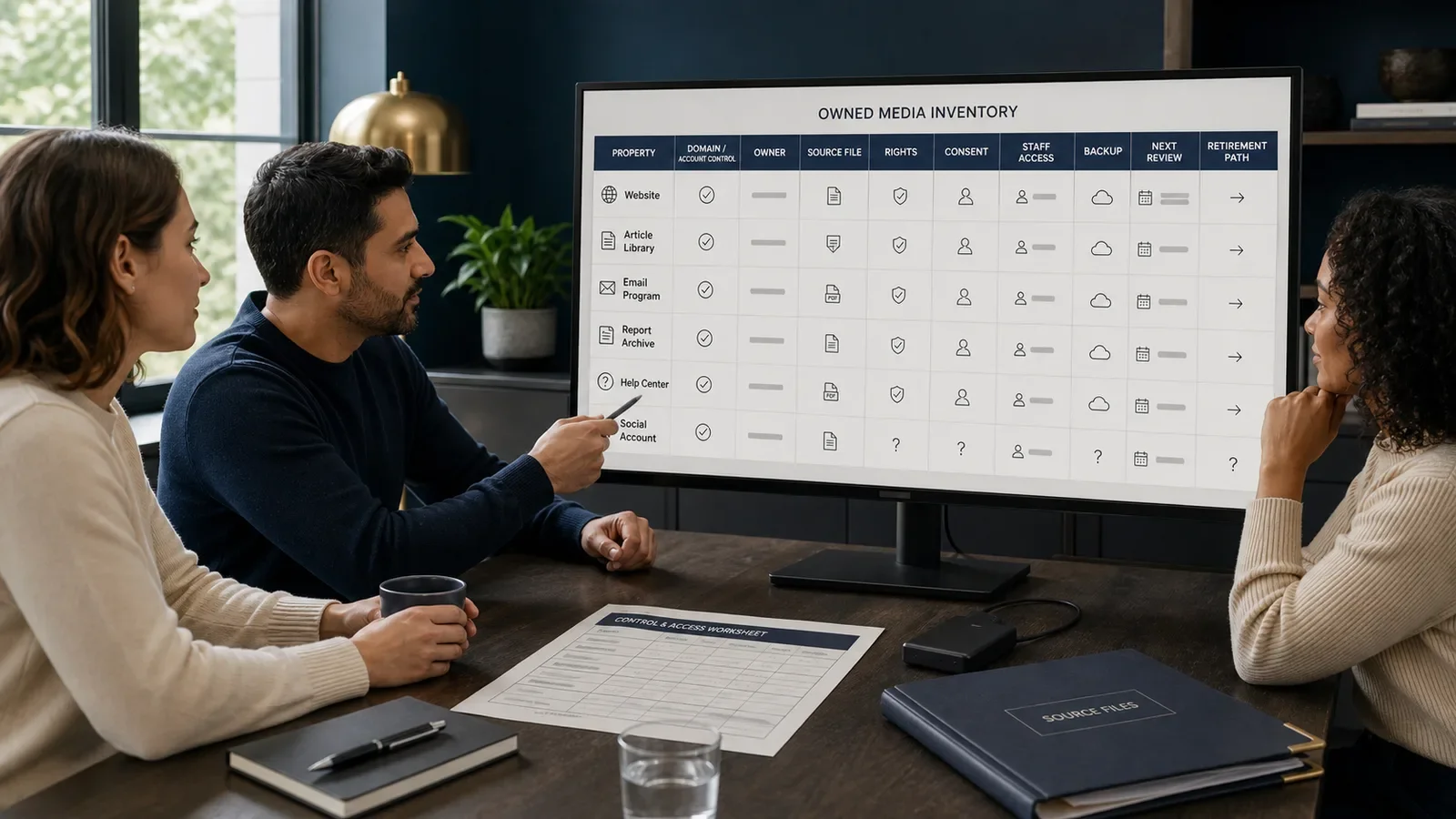
Owned media is content and the systems a brand can control well enough to post, update, manage, and remove. Common forms are a site on its own domain, email, a guide library, a report, and a help center.
Control has many levels. A brand may run its social account, while the social site sets the access, format, reach, and rules. A sound plan says which parts the brand owns and which parts it rents or can only use.
Put It in Plain Words
Owned media is the brand’s home for facts it can keep up to date. It should not need a news writer or ad sale to stay live.
A site is not fully under control just because the brand pays for it. The domain, web host, page tool, code, data, vendor terms, and back ups may each have a new owner.
An email list is not owned like a desk. It holds people’s data and choices. Consent, choice to leave, deletion, safe use, and the law still apply.
A social page is useful but can change with the platform. Keep the main source and ways to reach the audience outside one rented account.
Going live is only the first step. Facts, links, goods, staff, rights, and laws change.
Start with a full list. Name each domain, account, feed, file, email, library, tool, and public record.
For each item, record its purpose, group, owner, editor, source, staff access, back up, data life, and next check.
Check admin control. Remove old users, use strong sign-in steps, write down how to get access back, and do not leave one person as the sole owner.
Keep source files, rights, consent logs, and proof. A live page by itself is not a safe archive.
Make the content easy to use and reach. Control brings a duty to use sound page shape, text options, plain words, fixes, and help.
Set a path for changes and fixes. Readers should know how to report an error and see the current facts.
Share the work through search, email, peers, groups, and ads when they fit. Owning a page does not mean people will find it.
Track the reader’s task, work quality, and upkeep cost. More pages can add repeat text and risk instead of value.
Remove or point old pages to a new source with care. Keep the records the law or work needs, but take down public text that should no longer guide people.
How Does Owned Media Work?
The brand picks channels that can last. It makes content from checked proof, posts it through systems it controls, and shares it through other media. It keeps records for access, sources, rights, ease of use, safety, and each life stage.
Owners check use and facts. They update or join pages, honor user choices and delete rules, and keep the right back ups.
Why Is It Important?
Owned media gives a brand a steady place to explain its work, help people, keep proof, and fix wrong facts.
It also creates duties that do not end at launch. Weak access, old claims, hard-to-use pages, poor privacy, and deep reliance on one vendor can turn an asset into a risk.
Where Is It Used?
Websites, articles, reports, guide hubs, email, podcasts, web talks, and help pages.
Product lessons, first-use help, support, news for those who fund the firm, public policy facts, and brand rules.
A main source that paid, earned, and shared channels can link to or quote.
A Simple Owned-Media Example
A firm posts a study guide on its own domain. The page names the writer, sources, date, method, limits, fix contact, and next check.
The firm shares the guide by email and social media. Those ways to share it do not replace the main page and saved source files that the firm controls.
What Should an Owned-Media List Include?
Channel, domain, account, vendor, and deal.
Purpose, group, type of content, and role as the main source.
Named owner, editor, admin, and access-back contact.
Sources, rights, consent, ease of use, and law check.
Back ups, export, safe access, data life, and breach plan.
Dates to post, update, fix, join, and remove the item.
How Do You Build Owned Media?
Choose a reader task and a channel that can last.
Check control of the domain, account, data, and vendor.
Create from proof and check rights and ease of use.
Post one main version and share it.
Track use, work quality, risk, and upkeep cost.
Update, join, save, or remove it on time.
Owned Media vs. Shared Media
Owned media lives in systems the brand can manage. Shared media is the brand’s part in social sites, groups, and channels run by other people.
Paid media buys reach. Earned media rests on outside attention. A strong plan can link all four while it keeps the source, ties, and limits of control clear.
Common Mistakes
Calling a social account fully owned.
Treating an email list as unrestricted property.
Publishing without an accountable update owner.
Depending on one administrator or vendor with no export.
Measuring page count instead of reader use and lifecycle cost.
Frequently Asked Questions
Is social media owned media?
The brand may control its account and posts, but the social site controls key access, form, rules, and reach. Record it as a channel the brand can manage, not one it owns in full.
Is email owned media?
The brand may control the email plan and art. Yet the names and acts are still personal data, and the email firm is still an outside link in the chain.
Does owned media get free traffic?
No. Writing, web hosts, upkeep, sharing, search work, email sends, study, safe access, and content rules all take time or funds.
Start the operating model with The Anatomy of a Content Strategy and use How to Build an Email List for a permission-based audience path.
Need a content system with real ownership, evidence, access, and maintenance controls?
Book a free Brand and Tech Assessment to map the current problem, evidence, constraints, and practical next step.
Sources
- Spin Sucks: A Deep Dive Into Owned Media in a PESO Model Program. https://spinsucks.com/communication/deep-dive-owned-media-peso-model/
- Google Search Central: Creating helpful, reliable, people-first content. https://developers.google.com/search/docs/fundamentals/creating-helpful-content